Copy Text from Screen
Drag a box over any picture, video frame or PDF and the text is copied.


Copy Text from Screen in 4 steps
No setup, no account. Install and go.
- 1
Install and pin it
Add the extension to Chrome and pin it to your toolbar.
- 2
Start a capture
Click the icon and choose Select text on screen, or press Alt+Shift+C on any page.
- 3
Drag a box
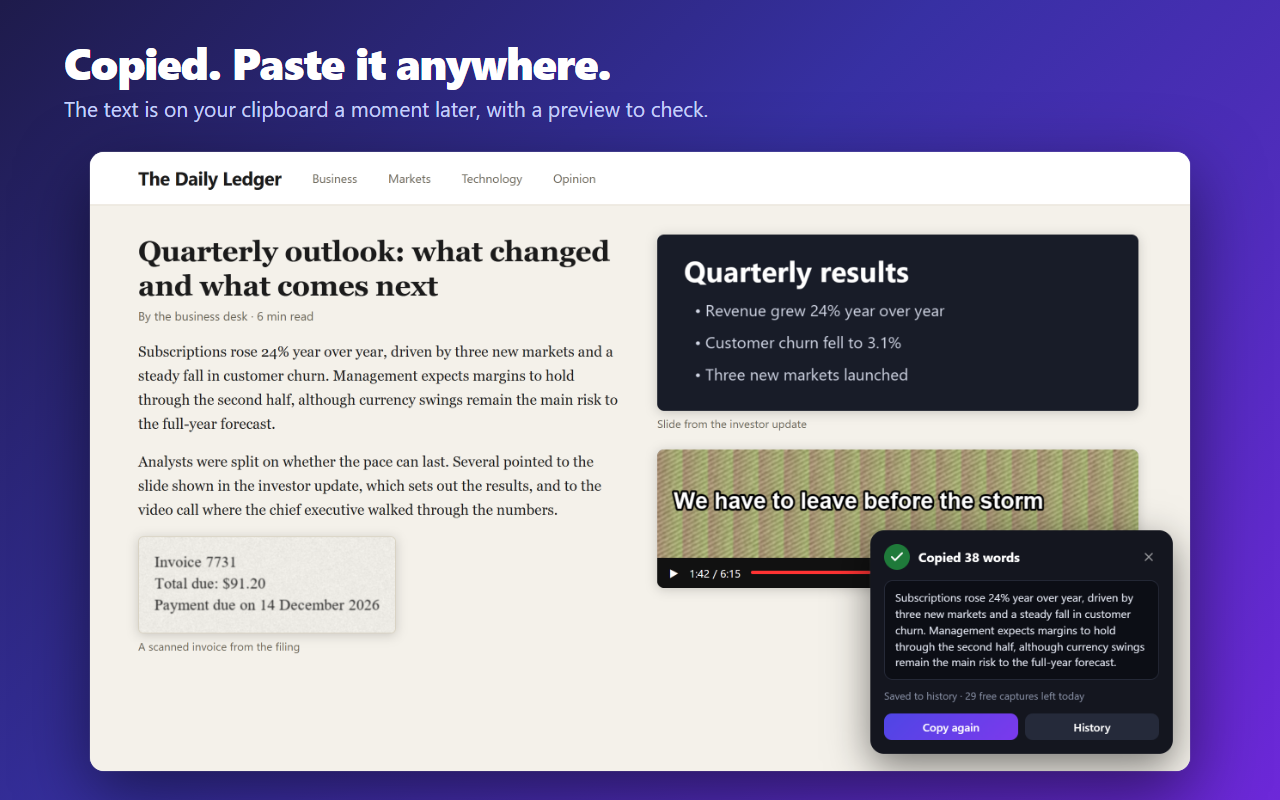
Draw a box around the words you want. A moment later it says Copied.
- 4
Paste it anywhere
The text is on your clipboard, and saved in your history.
Everything you need, nothing you don’t
Works on anything you can see
Images, screenshots, slides, scanned documents and PDFs that only contain pictures of text, even when the words cannot be selected.
Drag a box, get the text
Click the extension or press Alt+Shift+C, drag a box around the words, and they are on your clipboard a moment later.
Video frames hold still
The screen freezes when you start, so you can copy a caption or a slide from a video without chasing it.
Reads on your device
The text recognition runs inside your browser. The extension makes no network requests unless you sign in, and it never uploads what you select.
A history of what you copied
Captures are saved on your device with a small preview and the page they came from, so you can find and copy them again. Turn it off any time.
Export with Pro
Pro keeps your full history and exports it as text, a spreadsheet or JSON.
The core stays free — forever
Start free with 30 captures a day. Pro is a one-time payment and never renews by itself.
Free
Free forever$0
30 captures a day, no account needed.
- 30 captures a day
- Works on images, videos and PDFs
- Your latest 10 captures in history
- No sign-up required
7-day Pro
$1.99
One-time, no auto-renew. Everything in Pro for 7 days.
- Everything in Free, plus:
- Unlimited captures for 7 days
- Full history and export
- Nothing renews by itself
Lifetime Pro
$9.99
Pay once, keep it forever. No subscription.
- Everything in Free, plus:
- Unlimited captures, forever
- Full history, searchable, up to 500 captures
- Export to text, CSV and JSON
- Future Pro features

Your data never leaves your browser
- Text is read on your device. Nothing you select is ever uploaded.
- No network requests at all unless you sign in or buy Pro, and then only your account is involved.
- No account needed on Free. History stays on your computer and can be deleted any time.