Telegram Group Exporter
Export Telegram group members, chats, contacts & media to Excel or CSV.


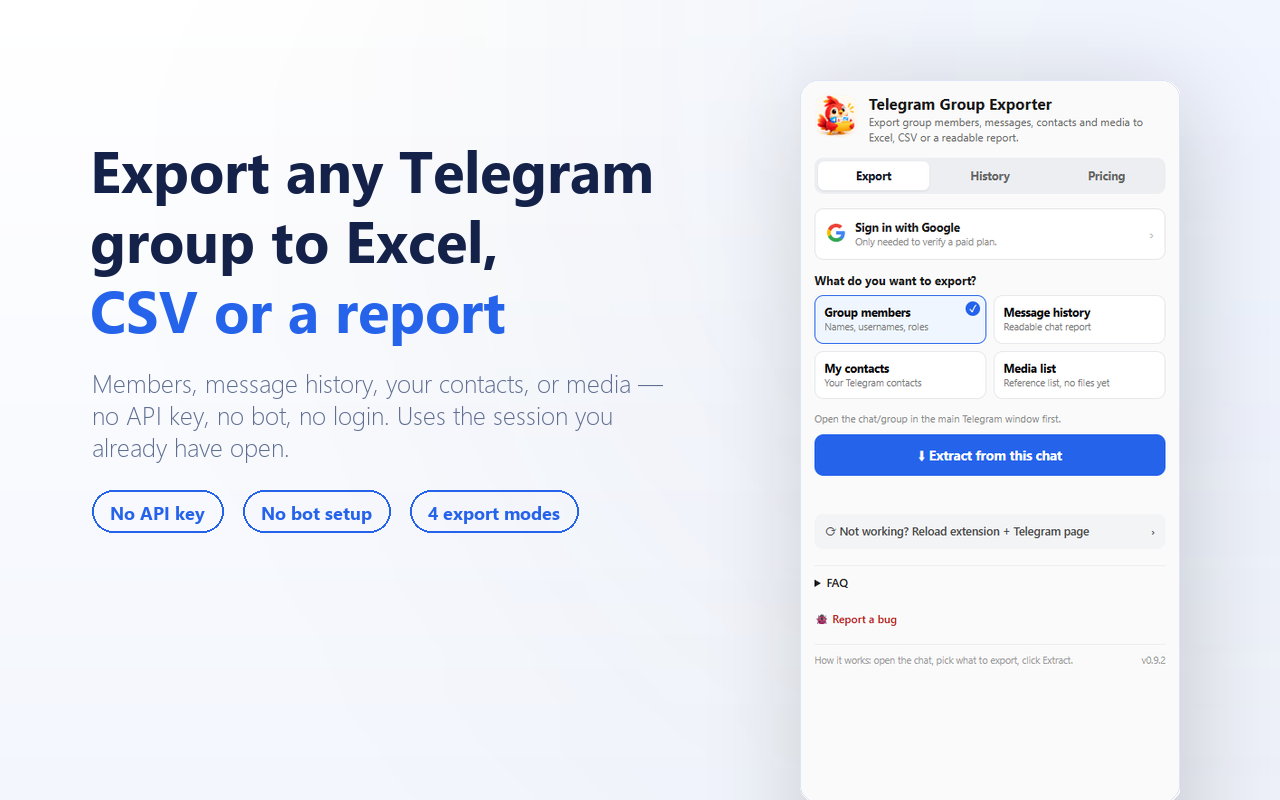
Telegram Group Exporter in 4 steps
No setup, no account. Install and go.
- 1
Open Telegram Web
Log into web.telegram.org/k like you normally would.
- 2
Open the side panel
Click the extension icon — Telegram Group Exporter opens alongside Telegram, not over it.
- 3
Pick what to export
Group members, message history, your contacts, or a media list — open the chat or group first.
- 4
Extract, then download
Get a CSV, Excel-ready file, or a readable HTML report — or re-download it later from History.
Everything you need, nothing you don’t
Four export modes, one tool
Group members (names, usernames, roles), message history as a readable report, your own Telegram contacts, or a media list — pick what you need from one side panel.
No API key, no bot token, no login
Reads Telegram Web’s own already-loaded session data through your own signed-in session. Nothing to register with Telegram, nothing to configure.
Real media files, not just a list
Photos, videos, voice notes and files come with real thumbnails and direct downloads, bundled into one ZIP if you want everything at once. Filter by type — stickers and GIFs are off by default.
Stop anytime, keep what you collected
A long export can be stopped mid-run — you keep whatever was gathered before you stopped it, nothing is thrown away.
Every export saved, ready to re-download
Past runs stay in History on your device — re-download as CSV or a ZIP any time without re-extracting.
Read-only, always
No messages sent, no members added, no groups joined, no automation of any kind — it only reads chats and groups you’re already in.
The core stays free — forever
Pro raises the limits — for bigger exports, not more frequent ones. Cancel anytime.
Free
Free forever$0
500 rows, lifetime, free forever — no account needed.
- 500 rows, lifetime, across every mode
- All four export modes available
- No sign-up or account required
- Runs entirely in your browser
7-Day Pass
$2.99
One-time, no auto-renew. 10,000 rows to use across the week.
- Everything in Free, plus:
- Up to 10,000 rows total, over 7 days
- Every export mode included
- Google sign-in only to verify your pass
Monthly
$4.99
One-time, no auto-renew. 100,000 rows over 30 days — our most popular plan.
- Everything in the Pass, plus:
- Up to 100,000 rows total, over 30 days
- Need no cap at all? Unlimited is $9.99/30 days, switchable any time from the Pricing tab
- Buy again only if you still need it — nothing auto-renews

Your data never leaves your browser
- Reads Telegram Web’s own already-loaded session data directly — nothing is scraped off the screen.
- Telegram Group Exporter runs no server that receives your exported members, messages, contacts or media.
- No account needed on Free. Paid plans require a quick Google sign-in, just to verify your plan.
Telegram Group Exporter is an independent tool and is not affiliated with, endorsed by, sponsored by, or connected to Telegram FZ-LLC or Telegram Messenger Inc. Telegram™ is a trademark of Telegram FZ-LLC, referenced solely to describe compatibility.
Telegram Group Exporter guides
How to Export Telegram Group Members to Excel or CSV
Every real way to get a Telegram group's member list into a spreadsheet — what each one actually needs, what it costs, and which to pick.
Read moreHow to Export Telegram Chat History to a Readable File
Telegram's own export tool gives you a folder of HTML or JSON files per chat. Here's when that's fine, when it isn't, and the faster way to get one readable report.
Read more