

SafePace in 4 steps
No setup, no account. Install and go.
- 1
Open WhatsApp Web
Stay signed in to your own WhatsApp Web session, like always.
- 2
Build your list
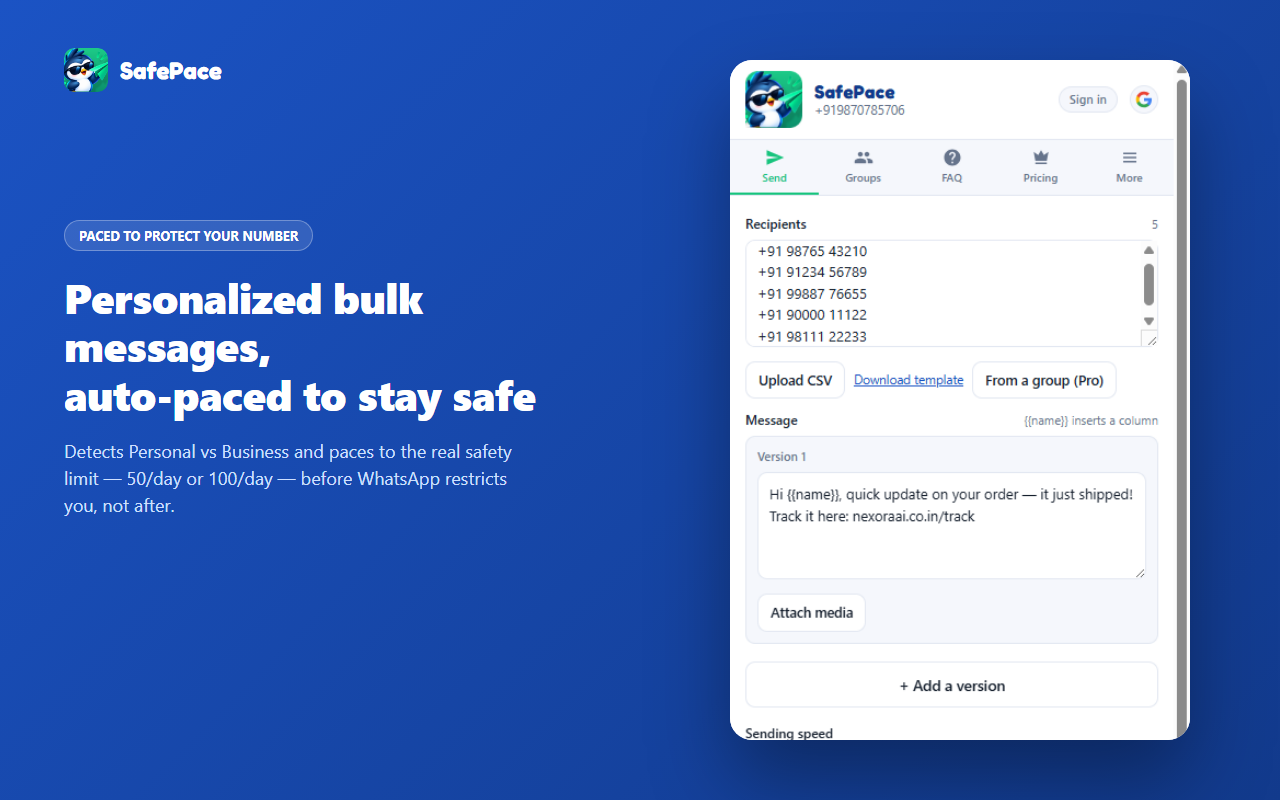
Paste numbers, upload a CSV/Excel file, or import them straight from a group you’re in.
- 3
Write your message
Add {{name}} placeholders, attach photos or videos, and add more than one version if you want.
- 4
Hit Start
SafePace paces itself automatically and tells you exactly how much room you have left today.
Got flagged anyway? Here’s what actually helps
No bulk-sending tool can promise zero risk — WhatsApp can restrict any account, from any tool. In order of what actually helps:
- 1
Stop sending immediately
Sending through a restriction — with this tool or any other — is what turns a temporary flag into a permanent ban.
- 2
Wait it out
Most Personal-account restrictions clear in a few days to a couple of weeks. Business accounts tend to recover faster.
- 3
Check the number’s history, not just today’s count
Sending well under the limit and still getting flagged usually means the number itself — how new it is, how it’s been used before — mattered more than the day’s volume. An older, established number holds up better.
- 4
Come back at Safe, not Fast
Don’t resume at full speed the moment a flag clears — ease back in on the slowest pacing setting for a while.
Everything you need, nothing you don’t
Paced to your account’s real limit
Auto-detects whether your number is Personal or Business and paces to the number that actually matters — 50/day Personal, 100/day Business — evidence-based, not a guess dressed up as a feature.
Warns before the danger zone
Pauses and explains itself before you reach the restriction range, then asks before continuing — not a silent cutoff, and not sent-until-banned either.
Multiple message versions, each with its own media
Version A can carry one photo, version B a different video. The same file to hundreds of people is the loudest spam signal there is — nothing here sends one identical blast.
Import a group’s numbers in one click
Pull every contactable number out of any WhatsApp group you’re already in, straight into your recipient list.
Export any group to Excel or CSV
A real .xlsx or CSV of a group’s members, role included (Owner/Admin/Member) — nothing ever leaves your browser.
Know who’s actually on WhatsApp first
Check your whole list against WhatsApp before sending a single message — no wasted sends to dead numbers.
The core stays free — forever
Pro raises the limits — for bigger exports, not more frequent ones. Cancel anytime.
Free
Free forever$0
20 messages a day per number, free forever — no account needed.
- 20 messages/day per WhatsApp number
- Rolling 24-hour window, not a hard midnight reset
- Multiple message versions with {{name}} placeholders
- No sign-up or account required
Pro
$4.99/mo
One WhatsApp number, the full auto-detected daily limit.
- Everything in Free, plus:
- Full daily limit — 50/day Personal, 100/day Business
- Import recipients from any group
- Export any group’s members to Excel/CSV
Pro Max
$9.99/mo
Five WhatsApp numbers, each with its own full daily limit.
- Everything in Pro, plus:
- 5 linked WhatsApp numbers instead of 1
- Each number paced independently — one number’s volume never affects another’s
- Best value for agencies running more than one number
Your data never leaves your browser
- Messages send through your own signed-in WhatsApp Web session — nothing routes through our servers.
- SafePace runs no server that receives your recipient list, message text, or exported group data.
- No account needed on Free. Pro/Pro Max requires a quick Google sign-in, just to verify your subscription.
SafePace is an independent tool and is not affiliated with, endorsed by, sponsored by, or connected to WhatsApp LLC or Meta Platforms, Inc. WhatsApp™ is a trademark of WhatsApp LLC, referenced solely to describe compatibility.
SafePace questions
Add SafePace to Chrome
As Featured On
