Group Contacts Exporter
Export WhatsApp group contacts to Excel or CSV in one click.


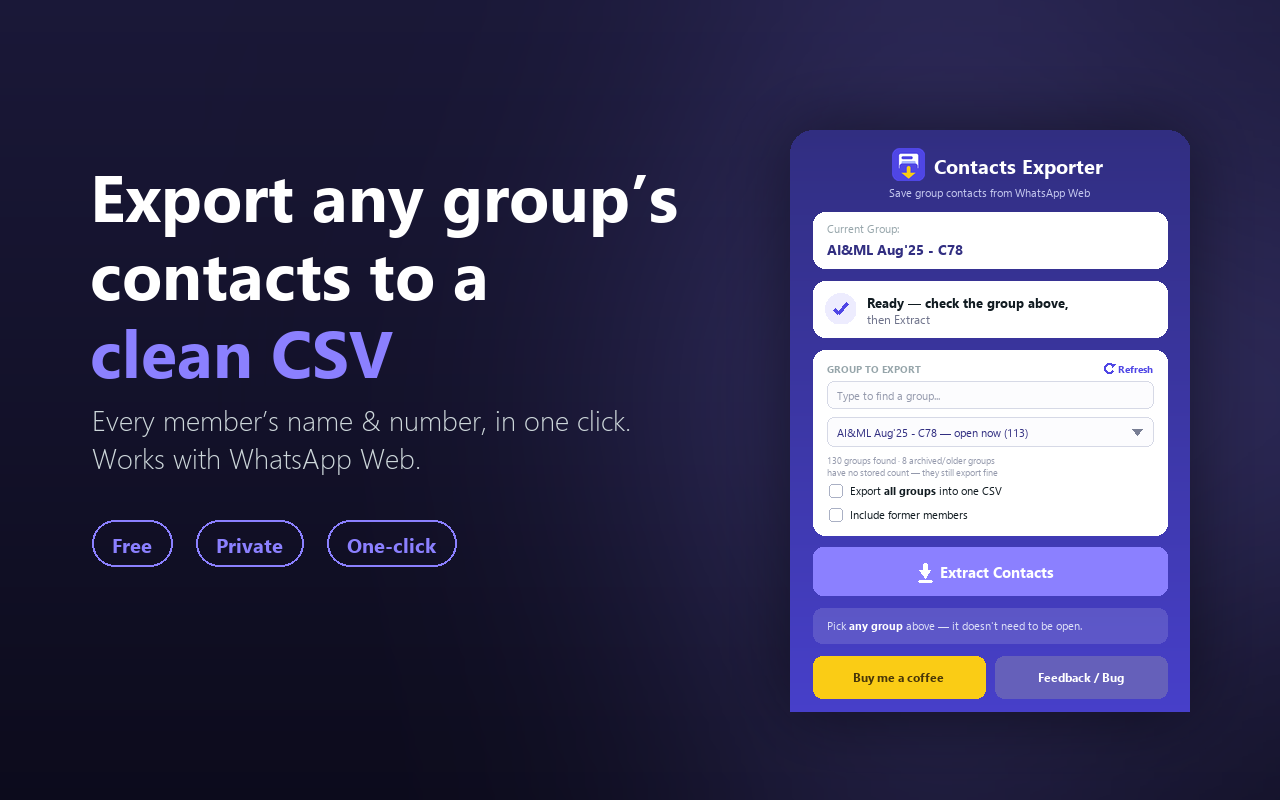
Group Contacts Exporter in 4 steps
No setup, no account. Install and go.
- 1
Open WhatsApp Web
Log into web.whatsapp.com like you normally would.
- 2
Click the extension icon
Group Contacts Exporter opens as a side panel from your Chrome toolbar.
- 3
Pick a group
Search and select any group — or tick “all groups” to export everything at once.
- 4
Extract, then download
Click Extract and get a clean CSV that opens straight in Excel or Google Sheets.
Everything you need, nothing you don’t
Reads local storage, not the screen
Most exporters scroll the visible list and miss stragglers. This reads WhatsApp Web’s own local data, so the roster is complete without opening or scrolling the group — a 900-member group exports the same way a 9-member one does.
A CSV you’d actually send someone
Name, country code, and phone number in their own columns — not one messy field you have to split yourself before it’s usable.
Owner, Admin, Member — labeled
Every row shows the person’s role in the group, so you’re not guessing who’s actually running it.
No need to open the group first
Search for it by name in the side panel and export directly — skip the click-in, scroll-down, click-members routine.
Every group, one file
Tick “export all groups” once and get a single combined file instead of repeating the process group by group.
Your call on former members
Leave them in for a full history, or leave them out for a clean current-roster export. Either way, it’s a checkbox, not a workaround.
The core stays free — forever
Pro raises the limits — for bigger exports, not more frequent ones. Cancel anytime.
Free
Free forever$0
100 contacts a month, free forever — no signup.
- 100 contacts exported per month
- Name, country code, phone number & role
- Runs 100% locally, nothing uploaded
- No sign-up or account required
Pass
$1.99
7-day pass, one-time, no auto-renew. 50,000 contacts to use across the week, one group at a time.
- Everything in Free, plus:
- Up to 50,000 contacts total, over 7 days
- Priority support
- Google sign-in only to verify your pass
Pro
$4.99/mo
Unlimited exports, every month, plus bulk export.
- Everything in the Pass, plus:
- Unlimited contacts — no per-export cap
- Export every group into one combined CSV
- Priority support

Your data never leaves your browser
- Reads WhatsApp Web’s own local data directly — nothing is scraped from the screen.
- Group Contacts Exporter runs no server that receives your contacts.
- No account or sign-in on Free. Pro requires a quick Google sign-in, just to verify your subscription — nothing else.
Group Contacts Exporter is an independent tool and is not affiliated with, endorsed by, sponsored by, or connected to WhatsApp LLC, Meta Platforms Inc., or any Meta product. WhatsApp™ is a trademark of WhatsApp LLC, referenced solely to describe compatibility.
Group Contacts Exporter guides
Export WhatsApp Contacts to Sheets Correctly
Getting contacts into Sheets is the easy part. Stopping it from mangling phone numbers — dropped plus signs, eaten zeros — is the part nobody warns you about.
Read moreHow to Export Unsaved WhatsApp Contacts
Most people in your groups were never in your address book — on a real account, only ~10% of records had a saved name. What you get for the rest.
Read moreHow to Export All Your WhatsApp Groups at Once
Exporting 130 groups one at a time is a day's work. Doing it in one pass takes minutes — but only some tools can, and the combined file needs care.
Read moreGroup Contacts Exporter questions
As Featured On