See Who Recently Followed You on Instagram
Key takeaways
- This broke overnight, for every tool at once. Chronological order wasn't a feature one exporter did better than another — it was a property of the raw data Instagram sent. When Instagram stopped sending it, every method built on "the list is in order" broke at the same moment, not gradually.
- It's not fixable by better engineering. A faster exporter, a smarter scroll, a cleverer scraper — none of it matters here. The timestamp the old method relied on isn't in the data anymore, for anyone.
- Comparison replaces ordering. You can't know the exact sequence two new followers arrived in, but you can know exactly who's new since your last check, with total accuracy — a different question, answered a different way.
- Matching has to happen on user ID. A username change would otherwise look like one follower leaving and a different one arriving. IDs don't change; usernames do.
- This is less invasive than a tracker app. A background unfollower-tracker needs standing access to your account between checks. Comparing two exports needs nothing running when you're not the one running it.
For a while, "who followed me recently" had an easy answer: open the followers list, look at the top. That stopped working — not because any one app got worse, but because the entire category of methods it belonged to broke at the same moment.
What happened
Instagram stopped sending follower and following lists in chronological order, for every account except your own. We cover the mechanics of that in detail here — the short version is that the ordering isn't hidden or restricted, it's simply not part of the data anymore.
The part worth sitting with is the overnight nature of it. Chronological order wasn't a feature any single tool implemented well or poorly — it was a property of the raw list Instagram handed out, and every method for "who's new" was quietly built on top of it: unfollower trackers, "recently followed" checks, manually scrolling to the top of the list. All of it, across every product touching this data, stopped being reliable at the same instant. Not a gradual decline, not one competitor falling behind another — a shared floor gave way under the entire category at once.
That's a useful thing to know if you've tried two or three different tools and all of them stopped showing accurate "recent followers" — it's not that you picked the wrong one. There isn't a right one for the old method anymore.
Why better engineering doesn't fix it
It's tempting to assume this is a solvable problem — pace requests more carefully, read more of the list, scrape faster before Instagram notices. None of that touches the actual issue. The old method worked by trusting that position in the list correlated with time. That trust needs a timestamp behind it, and the timestamp isn't sent. No amount of cleverness on the reading side compensates for data that was never sent.
The approach that still works: compare, don't sort
If you can't trust position, you can still trust identity. Export a list, wait, export it again, and match the two by user ID:
- Someone in the new export who wasn't in the old one → followed you since
- Someone in the old export who isn't in the new one → unfollowed, or deactivated
- Everyone else → unchanged, in either order
This doesn't tell you which of three new followers arrived first. It tells you, with certainty, who all three are — which is the question most people actually had.
One caution on the second bullet: the "unfollowed" side of this comparison is much easier to get wrong than the "new follower" side, because an export that quietly missed someone looks identical to a person who actually left. Who unfollowed you, and how to tell a real one from a missed row covers what makes that answer trustworthy.
How ListLift's New Followers tab does this
We built this comparison in as its own tab rather than leaving it as a manual spreadsheet exercise. Pick two exports of the same list:
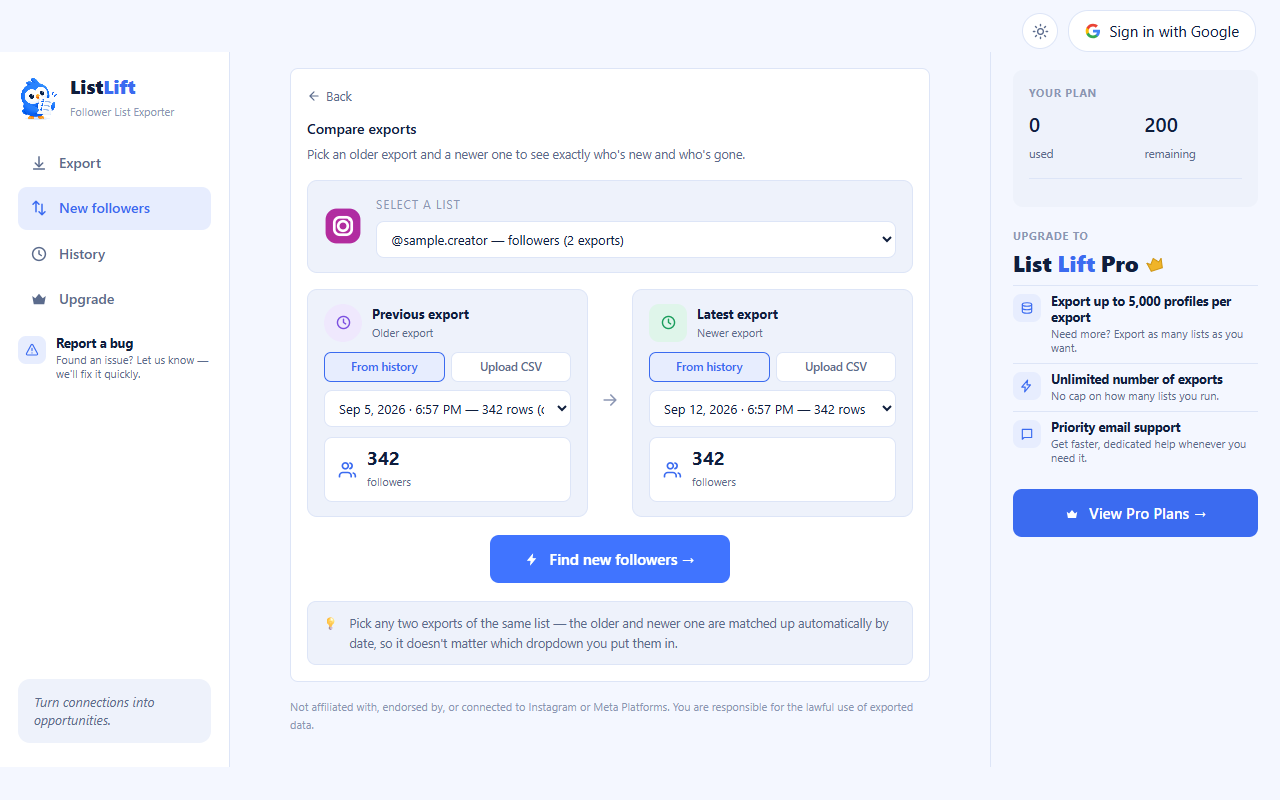
Either side can come from your export history or a CSV you upload — useful if you kept an older export from before you started using ListLift regularly. Run the comparison and you get an exact breakdown:
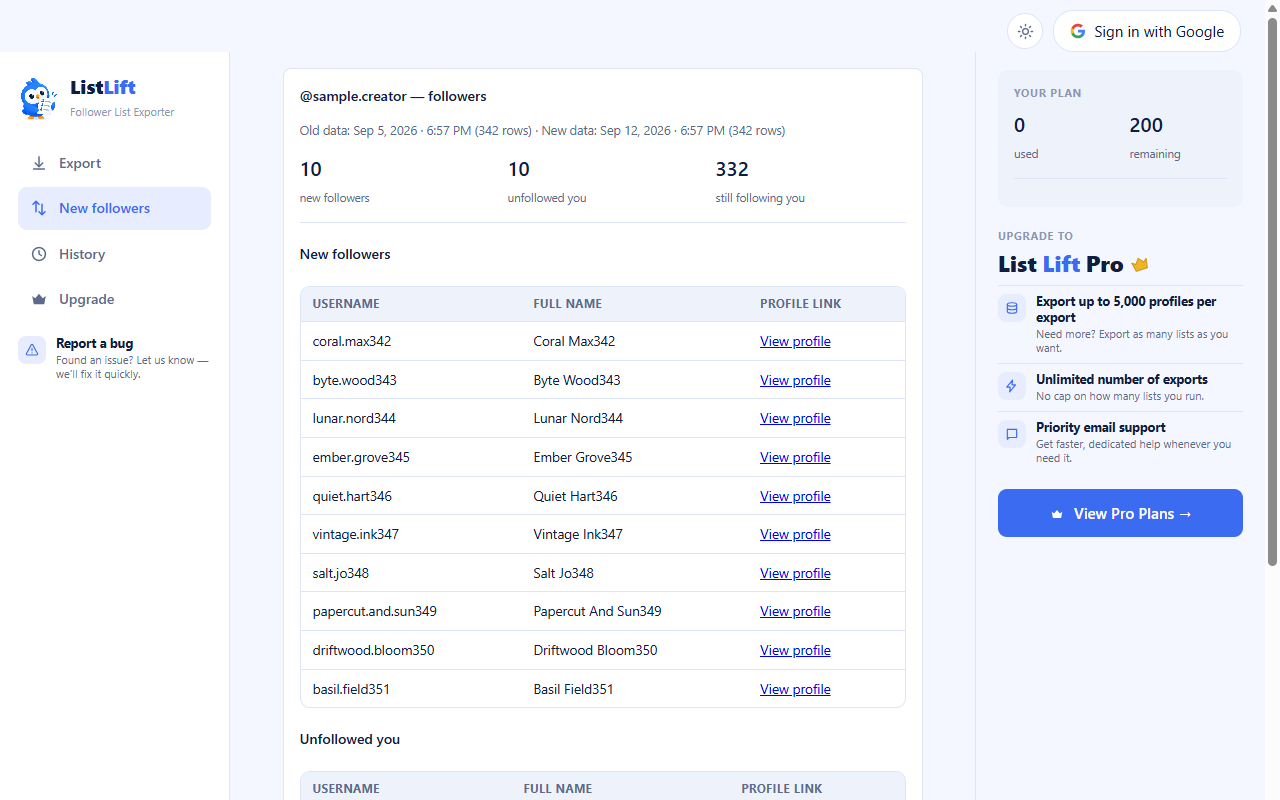
New followers, people who unfollowed, and everyone still following — each with usernames, full names, and profile links, matched on user ID under the hood so a renamed account doesn't show up as one person leaving and a different person arriving.
It's honest about what it can't do: if this is your first export, there's nothing to compare yet, and the gap between your two exports is the resolution limit on precision (a weekly habit gives you weekly precision, not real-time alerts).
Why this beats a tracker app
An unfollower-tracker app needs standing access to your account so it can check in the background — which means trusting a third party with continuous access, indefinitely, for a feature you might check once a week. Comparing exports needs your account for exactly as long as an export takes, and nothing else runs when you're not the one running it. Slower, yes. Yours, entirely.
Questions this comes up with
Skip the manual work — use ListLift
The Instagram follower export tool that shows the real count before you export.